Tutorial on how to add webview in your android app project using AIDE IDE full working sample codes with screenshot.
This basic codes only, but it useful for new android app developer to create on first android webview.
Now lets start, first goto
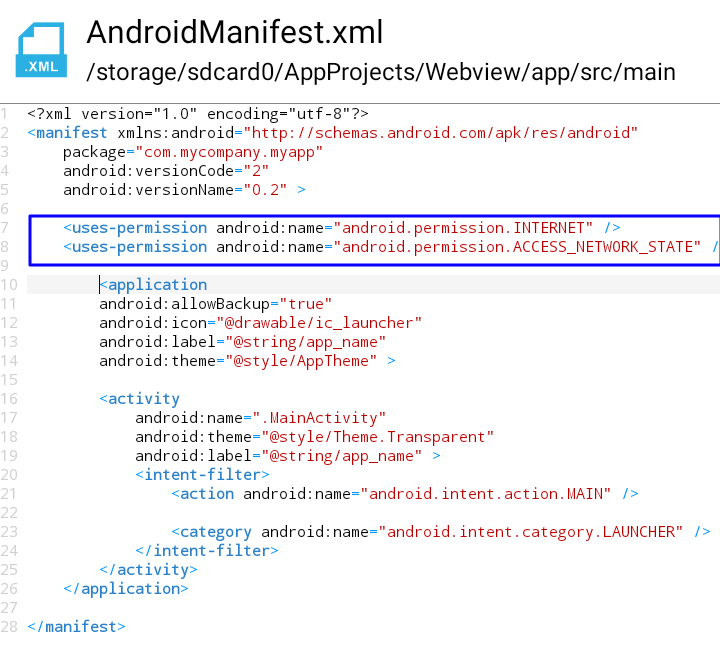
AndroidManifest.xml and add internet permission.
Screenshot:
Next goto
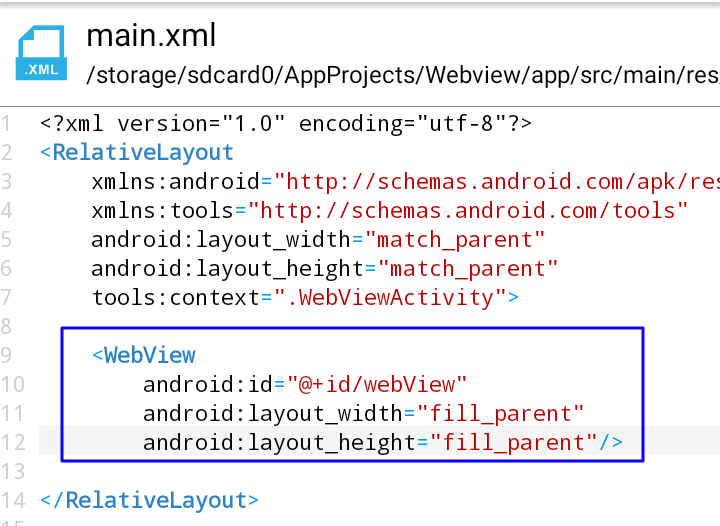
main.xml and paste this following codes.
Screenshot
The last step is go to your
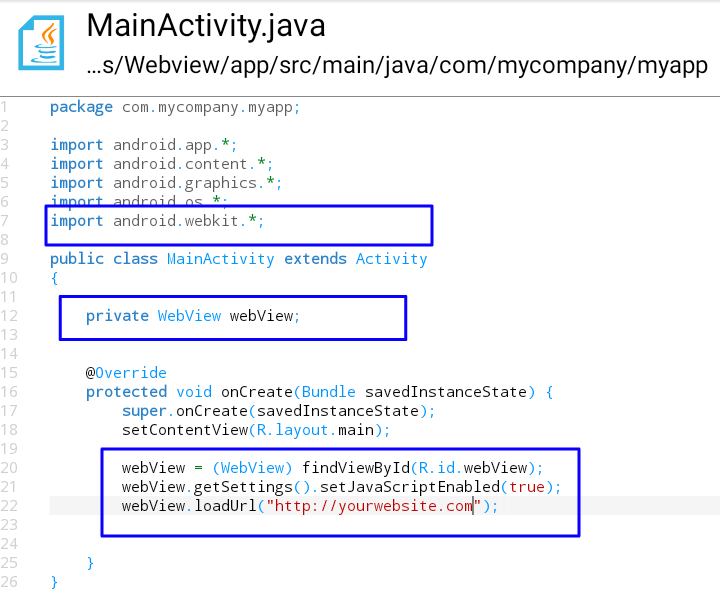
MainActivity.java and paste this following codes.
Code Number 1
Code Number 2
Code Number 3
Change the
http://yourwebsite.com into your target website that you want load in your webview
Screenshot:
Now your done. You can start to test your project


